
If you want to turn off the Windows Update in Windows 10
1. Click Start.
2.Click on Settings.
3.Click on Update & Security.
4.Click on Advance Option.
5.Click on Automatic ( Recommended ) and Choose Notify to schedule restart.


 .
.
Note : Windows will automatically install the updates and You will be Asked to restart the system to finish installing Updates
1. Click Start.
2.Click on Settings.
3.Click on Update & Security.
4.Click on Advance Option.
5.Click on Automatic ( Recommended ) and Choose Notify to schedule restart.


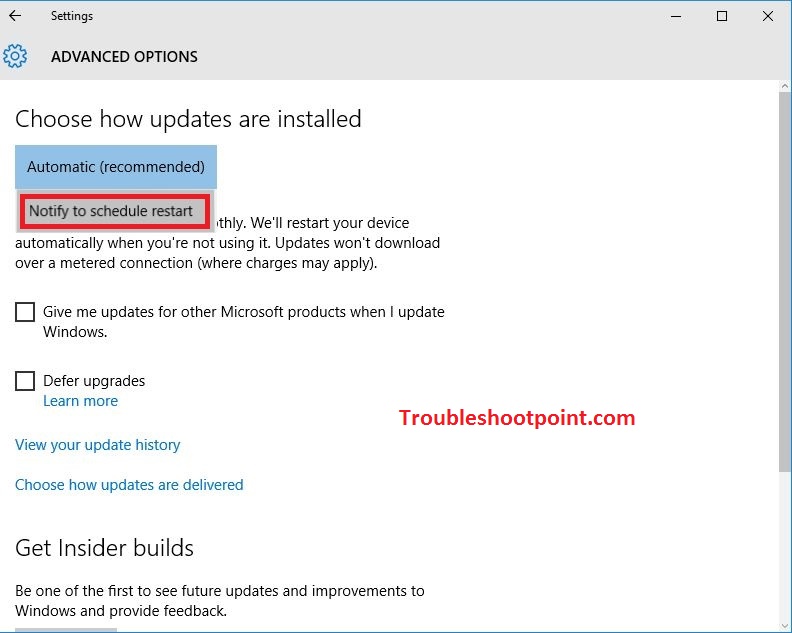

Note : Windows will automatically install the updates and You will be Asked to restart the system to finish installing Updates

 Posts
Posts

